
Hair Density App: Track Hair Transplant Progress
Learn how to use a hair density app to track hair transplant progress objectively. Setup, capture tips, interpreting results, and when to adjust your routine.
What Is a Hair Density App and Why Does Objectivity Matter?
A hair density app is a smartphone tool that uses your camera to take standardized photos of your scalp and then analyzes them to estimate hair count, density, or coverage in a given area. Some apps use AI to count individual hairs or follicles; others simply help you overlay grids and compare photos over time. Either way, the goal is the same: replace guesswork with measurable data. When you're months into a hair transplant recovery or a medical treatment plan, your memory of "how it looked last month" is unreliable. Lighting changes, camera angles, and even your mood can distort your perception. An app gives you a consistent reference point.
- Reduces emotional bias: bad hair days feel like setbacks, good days feel like breakthroughs — data cuts through both.
- Catches slow progress: hair growth is gradual; apps can reveal small changes you'd otherwise miss.
- Helps you communicate with your clinic: objective images and numbers make follow-up consultations more productive.
- Supports realistic expectations: seeing steady improvement (or lack thereof) helps you decide when to adjust your routine.
How Hair Density Apps Work: The Core Technology
Most hair density apps follow a similar pipeline. Understanding the steps helps you use them correctly and interpret their output with a healthy dose of skepticism. First, the app guides you to capture an image of a specific scalp area, often using an on-screen overlay to align with previous photos. Next, it processes the image—sometimes on-device, sometimes in the cloud—to detect individual hair shafts or estimate coverage. Finally, it presents metrics such as hair count per square centimeter, density score, or a percentage change from your baseline. The accuracy depends heavily on image quality, lighting, and how well you replicate the capture conditions each time. No app is perfect, but for tracking relative changes over months, they can be surprisingly useful.
What You Can Realistically Track (and What You Can't)
Hair density apps are useful, but they're not a substitute for a trichoscope or a clinical assessment. Here's a quick comparison of what they do well versus their limitations.
| What Apps Track Well | What Apps Struggle With |
|---|---|
| Relative change in hair count or density in a fixed area | Absolute density measurements (clinical trichoscopy is more accurate) |
| Visual coverage over time (before/after comparisons) | Hair caliber and miniaturization (unless the app specifically supports it) |
| Consistency of your own tracking (same spot, same conditions) | Scalp health, inflammation, or other dermatological factors |
| Trend direction (improving, stable, declining) | Distinguishing between new growth and existing hair that's just longer |
Setting Up Your Baseline: The First 10 Minutes
Before you start tracking, you need a baseline. This is your reference point — the "before" that all future comparisons will be measured against. Do this once, carefully, and you'll save yourself a lot of confusion later. Choose a well-lit room with a neutral background. Part your hair in the same way you plan to for all future captures. Use a tripod or ask someone to hold the phone at a consistent distance. Most apps provide a guide overlay; align your scalp with it precisely. Take photos from multiple angles if the app allows, but always start with the same primary angle. Save this baseline session and label it clearly. If you're pre-transplant, this baseline will be invaluable for seeing the full impact of the procedure later.
Creating Consistent Capture Conditions for Reliable Data
The single biggest factor in whether your hair density app data is useful is consistency. If you change the lighting, angle, or hair length between sessions, the app will report changes that aren't real. Here's how to keep your captures comparable.
- Same time of day: hair can look different in the morning versus evening due to oil, styling, or swelling.
- Same hair state: wash and dry your hair the same way before each capture. Avoid gels, sprays, or fibers.
- Same lighting: use the same room and light source. Avoid overhead lights that cast shadows on the scalp.
- Same distance and angle: use a tripod or have someone help you. Most apps have guides, but they only work if you follow them.
- Same camera settings: don't switch between front and rear cameras, and avoid digital zoom if possible.
How to Interpret App Results Over Time
Hair density apps typically show you a number (e.g., hairs per square centimeter) or a percentage change. Don't panic if the number fluctuates. Hair growth cycles, shedding, and even hydration levels can cause small variations. Look at the trend over weeks and months, not day-to-day changes. A single reading that's higher or lower than the last one is rarely meaningful on its own. What matters is the direction of the trend across multiple sessions. If you see three or more consecutive captures showing the same direction—whether improvement, stability, or decline—that's when you can start drawing conclusions. Also, keep in mind that after a hair transplant, the timeline is long. You may see shedding in the first few months, followed by slow growth. Your app data should reflect that arc, not immediate results.
Common Mistakes That Ruin Progress Tracking
Even with a good app, it's easy to sabotage your own data. Here are the most frequent errors people make when tracking hair density.
- Inconsistent lighting: moving to a different room or capturing at a different time of day.
- Changing hair length: a haircut between sessions can make density look drastically different.
- Using different phones or cameras: each lens has its own distortion and color profile.
- Skipping sessions: irregular tracking makes it hard to see a trend.
- Over-interpreting noise: treating a small change as meaningful when it's within normal variation.
- Not marking the same spot: if you photograph a different area each time, you're comparing apples to oranges.
Combining App Data with Clinical Assessments
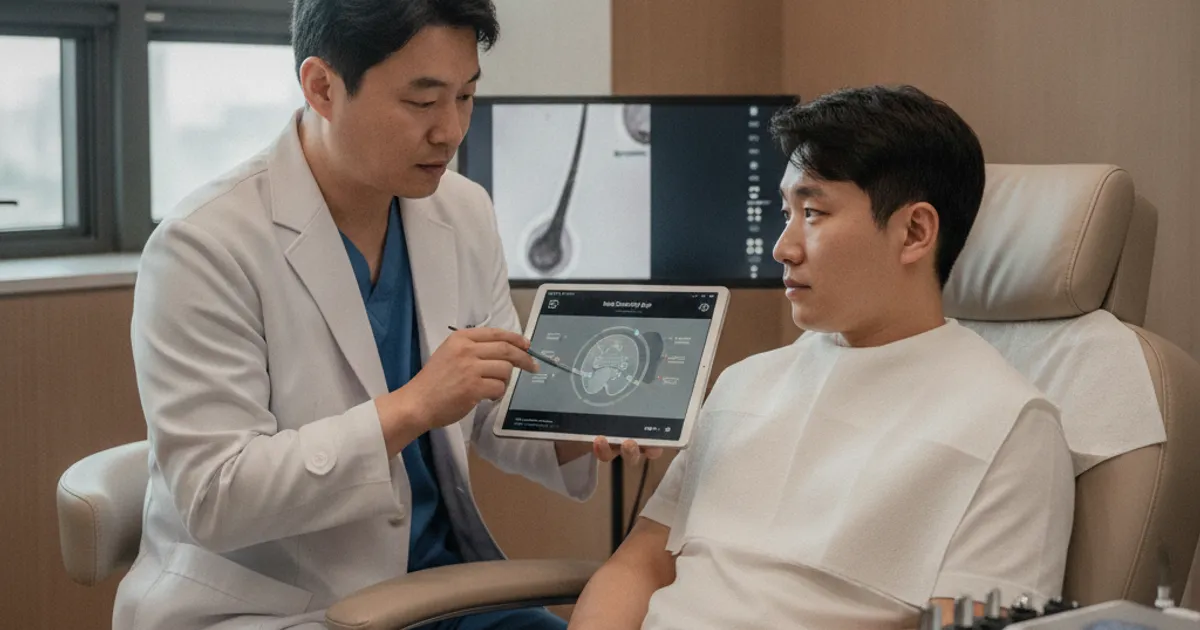
Apps are a great supplement to professional monitoring, not a replacement. Your clinic can perform trichoscopy, measure hair caliber, and assess scalp health in ways a phone camera cannot. Use the app to track day-to-day trends, and rely on your clinic for definitive evaluations. If you're working with a hair transplant clinic, ask them what metrics they use and how often they recommend follow-ups. Some clinics may even have their own app or patient portal where you can upload photos for review. The key is to use your app data as a conversation starter, not as a diagnosis. Bring your trend graphs to your appointments and ask your doctor to interpret them alongside their clinical findings.
| App Tracking | Clinical Assessment |
|---|---|
| Frequent, low-cost, self-administered | Periodic, professional, more accurate |
| Good for trend spotting and motivation | Good for diagnosis and treatment decisions |
| Limited by camera quality and lighting | Uses specialized equipment (trichoscope, etc.) |
| Can be done at home | Requires a clinic visit |
Planning Your Next Steps: When to Adjust Your Routine
Your app data should inform your decisions, not dictate them. If you see a consistent decline over several months, it might be time to talk to your doctor about adjusting your treatment plan. If you see steady improvement, stay the course. Here are some action steps to consider. First, review your trend data monthly, not daily. Second, if you notice a decline, check whether any capture conditions changed—new lighting, different phone, etc. Third, if the decline persists across multiple consistent captures, schedule a follow-up with your clinic. Fourth, if you're seeing improvement, don't change anything; consistency is key. Finally, remember that hair growth is slow, and patience is part of the process. Your app is a tool to help you stay patient and objective, not to rush you into unnecessary changes.
FAQ: Hair Density Apps and Progress Tracking
Are hair density apps accurate enough to replace a doctor's assessment?
No. They're useful for tracking relative changes over time, but they can't match the precision of clinical trichoscopy or a professional scalp evaluation. Use them as a supplement, not a substitute.
How often should I use a hair density app?
Once a week or every two weeks is usually enough. Daily tracking can lead to over-interpreting normal fluctuations. Consistency matters more than frequency.
Can I use a hair density app before a hair transplant?
Absolutely. Establishing a baseline before surgery helps you see the full impact of the transplant later. Just make sure you capture under consistent conditions.
What if my app shows no improvement after a transplant?
Hair growth after a transplant is slow. It can take 6–12 months to see significant results. If you're concerned, share your app data with your surgeon for a professional evaluation.
More Guides
- How Long After Finasteride Before a Hair Transplant?
Planning a hair transplant while on finasteride? Learn the typical waiting period, why timing matters, and how to coordinate with your surgeon for best results.
- Early Symptoms of Hair Loss: What to Watch For First
Learn the early symptoms of hair loss, how to track them, and when to see a specialist. Plan ahead with treatment options and costs.
- Alopecia Treatment: A Comprehensive Guide
A practical guide to alopecia treatment: types, diagnosis, medications, surgery, recovery timeline, and aftercare. Plan your hair restoration with confidence.
- Hair Loss Causes: What You Can and Can't Control
Understand hair loss causes, what's controllable, and how to plan a transplant. Practical guide to factors, aftercare, and when to see a specialist.